Parquet Optimization
Parquet Compression Explained: Choosing the Right Codec for Faster Analytics
Apache Parquet is one of the most efficient file formats for analytics, but much of its performance comes from one important feature: compression.
Why Compression Matters
Lower Storage Costs
Smaller Parquet files require less storage in Amazon S3 and other object stores. For large datasets, this can significantly reduce monthly storage costs.
Faster Queries
Analytics engines read fewer bytes from storage. This is especially important for services like Amazon Athena, where cost depends on the amount of data scanned.
Better Network Performance
Smaller files also reduce the amount of data transferred between storage and compute nodes, which helps distributed engines work more efficiently.
Choosing the right compression codec can reduce storage costs, improve query performance, and make analytics engines such as Amazon Athena, Apache Spark, Trino, DuckDB, and Presto read less data.
How Parquet Compression Works
Data is organized by columns.
- Each column is encoded.
- The encoded data is compressed.
Compression is applied per column, not to the whole file. This means each column can compress differently depending on the type of data it contains.
Step 1. Dictionary Encoding repeated values.
Parquet stores data in a columnar format instead of storing complete rows. Because values inside the same column are often similar, they usually compress very well.
For example, a country column may contain many repeated values:
Country
USA
USA
USA
Canada
Canada
Before compression is applied, Parquet uses encoding algorithms to represent data more efficiently. Instead of storing the full text every time, Parquet can use dictionary encoding:
| ID | Value |
|---|---|
| 0 | USA |
| 1 | Canada |
Stored data: 0, 0, 0, 1, 1, 0
This already requires much less space than repeatedly storing the strings "USA" and "Canada".
Parquet can encode repeated values efficiently and then compress the encoded data using a compression codec.
Other Parquet Encodings
Parquet also supports other encodings, such as:
- Run-Length Encoding (RLE): for long runs of identical values.
- Delta Encoding: for increasing numbers, such as timestamps or IDs.
- Bit Packing: for small integer ranges.
These encodings reduce the amount of data before any compression algorithm is used.
Step 2. Compress the encoded data
After encoding, Parquet compresses the resulting bytes using a compression codec
Common Parquet Compression Codecs
Snappy
Snappy is the default choice for many analytics systems. It is very fast and widely supported.
- Fast compression
- Very fast decompression
- Good compatibility
- Larger files than ZSTD or Gzip
ZSTD
ZSTD provides better compression than Snappy while still keeping good decompression speed.
- Excellent compression ratio
- Good query performance
- Supports compression levels
- Compression can take more CPU
Gzip
Gzip creates small files, but it is usually slower than Snappy or ZSTD. It is better for storage-focused workloads than frequent querying.
LZ4
LZ4 is optimized for speed. It can be useful when CPU usage is more important than maximum file size reduction.
Brotli
Brotli can produce very small files, but it is usually too slow for general analytics workloads.
Compression Codec Comparison
| Codec | Compression Ratio | Write Speed | Best For |
|---|---|---|---|
| Snappy | Good | Very fast | Interactive analytics |
| LZ4 | Good | Very fast | CPU-limited workloads |
| ZSTD | Very high | Fast | Modern data lakes |
| Gzip | Very high | Slow | Storage optimization |
| Brotli | Excellent | Very Slow | Archival datasets |
Which Codec Should You Choose?
For most analytics workloads, Snappy and ZSTD are the best choices.
- Choose Snappy when query speed and compatibility matter most.
- Choose ZSTD when you want smaller files and modern analytics engines support it.
- Choose Gzip only when storage size is more important than speed.
For more information see Apache Parquet documentations
Apache Parquet documentations - CompressionCompression Is Only One Part of Parquet Optimization
Compression helps reduce file size, but it is not the only setting that affects performance. Row group size, page size, dictionary encoding, schema design, and partitioning can also make a big difference.
Why do both?
Encoding and compression solve different problems.
Encoding reorganizes the data into a representation that's more compact and easier to compress.
Compression finds repeated patterns in the encoded bytes and stores them more efficiently.
Because of this two-step process, Parquet files are often much smaller than CSV files. The reduction comes from both the encoding techniques and the compression codec working together.
How Parqify Helps
Parqify helps convert CSV and JSON files into optimized, analytics-ready Parquet files. It includes built-in optimization profiles for platforms such as Amazon Athena, Apache Spark, Trino, Presto, and AWS Glue.
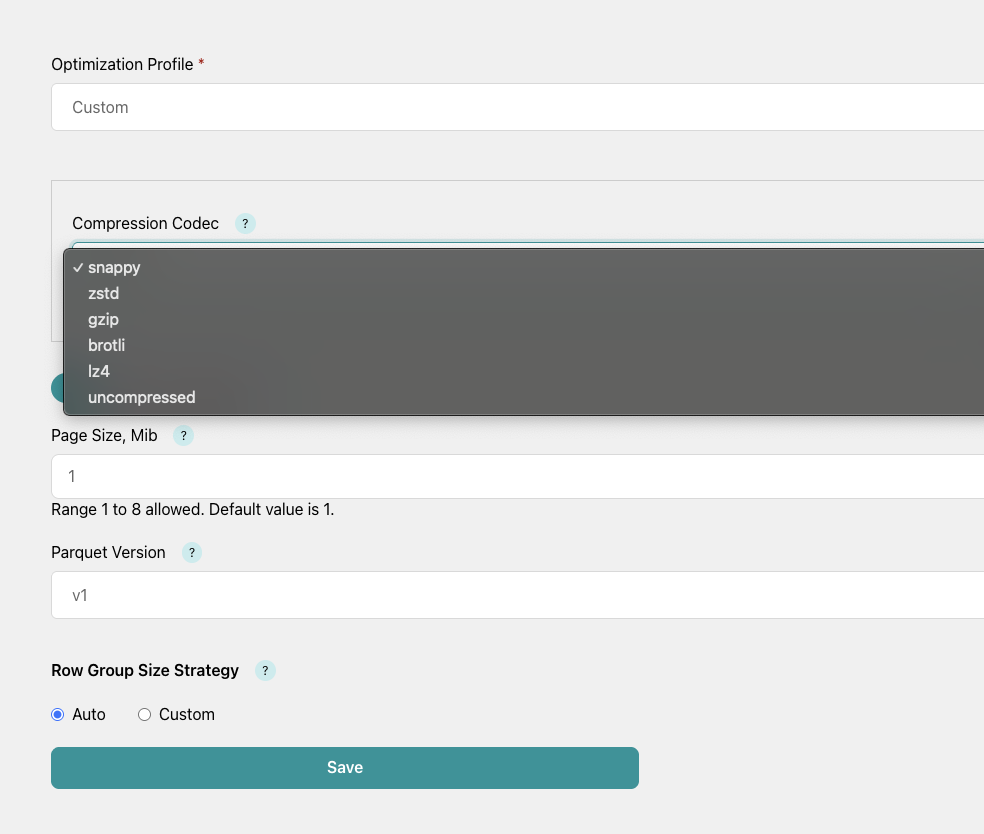
Instead of manually tuning every Parquet setting, users can choose a profile or customize compression codec, compression level, row group size, and other Parquet settings.
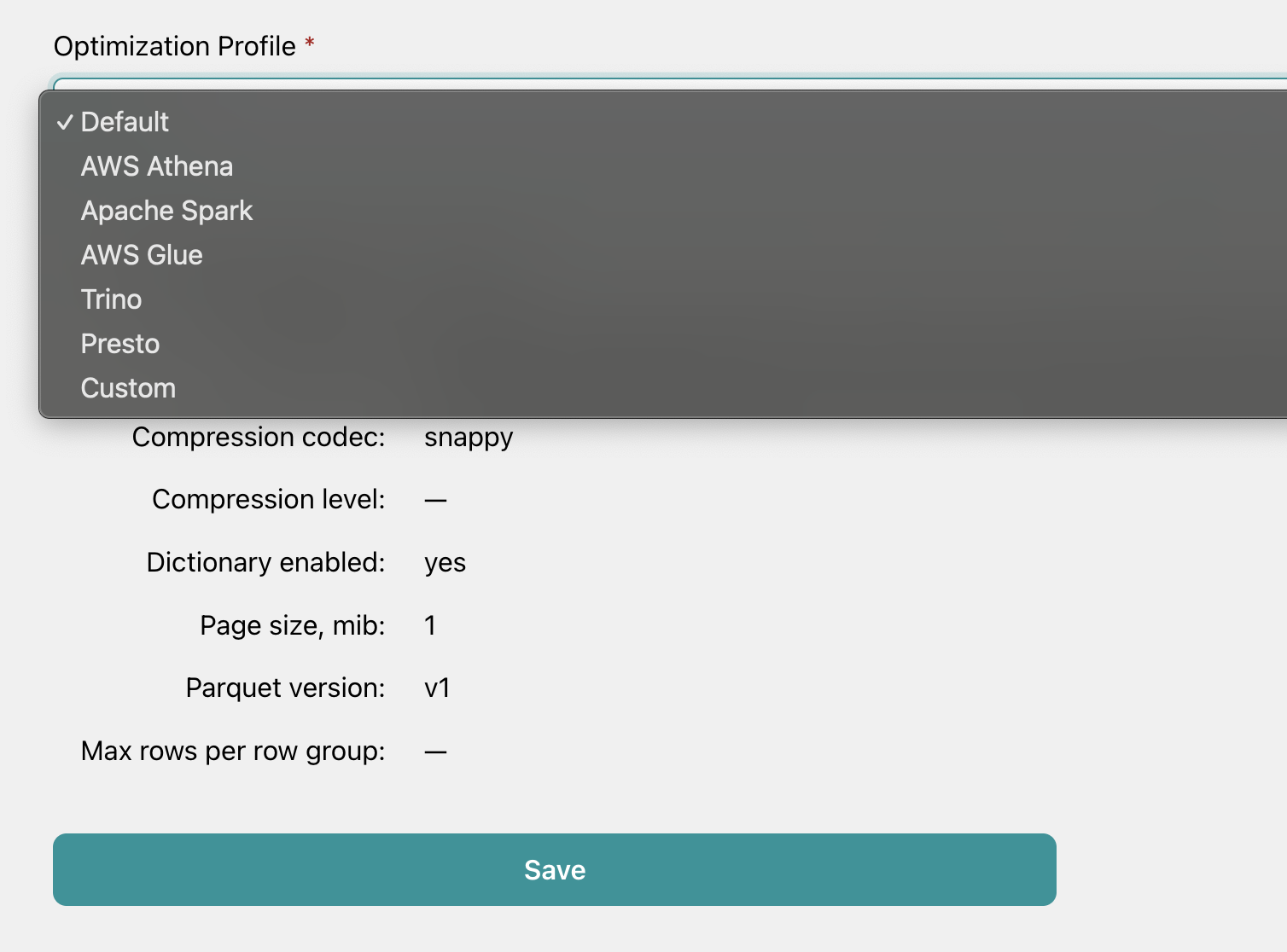
Parqify includes a Custom Optimization Profile as well that lets you manually configure Parquet compression settings. You can choose the compression codec, set the compression level (where supported), and adjust other Parquet settings to match your workload. This gives you full control when the built-in optimization profiles don't meet your specific performance or storage requirements.
Conclusion
Parquet compression can reduce storage costs, lower query costs, and make analytics workloads faster. For most use cases, Snappy is a safe default, while ZSTD is a strong choice when reducing file size is important.